
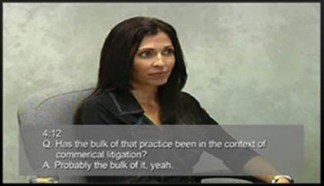
 Bruce Legal Video employs TimeCoder™ Pro to merge the deposition transcript text with the audio and video portion of the deposition in order to provide a synchronized video testimony.
The testimony along with the scrolling text below provides the jury with a closed captioning aspect to a witness’ testimony. Having a video transcript shown to the jury will ensure to capture the jury’s attention. In today’s world, a jury would prefer to see a witness’ testimony instead of an attorney reading the testimony aloud from a written transcript.
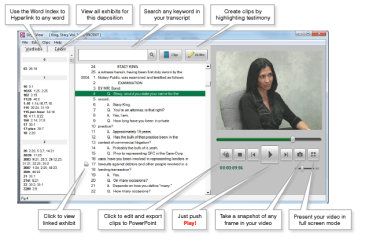
We will deliver the synchronized video transcript via the DepoView player; which allows you to review synchronized video depositions on a standard DVD player or personal computer. Attorneys find this extremely helpful in preparing for trial as DepoView gives them the ability to save clips of key testimony for playback at trial. It’s as simple as highlighting the text selections within the transcript to be included in the clip. That’s it.
Multiple search tools make finding key testimony easy and instantaneous. Keyword searches can locate a single keyword in-context, or use multiple keywords with Boolean search logic to refine your search.
It is also possible to export synchronized video depositions with linked exhibits to other major programs such as TrialDirector, LiveNote® and Summation®.
 Bruce Legal Video